Internal draft · Not publication-approved
Case study · Tempo
The Bazaar
Client systems for Rage, built to reuse
Adam works across client systems, UI, VFX and audio integration, production tooling, performance, and technical mentoring on The Bazaar—without owning every client system.
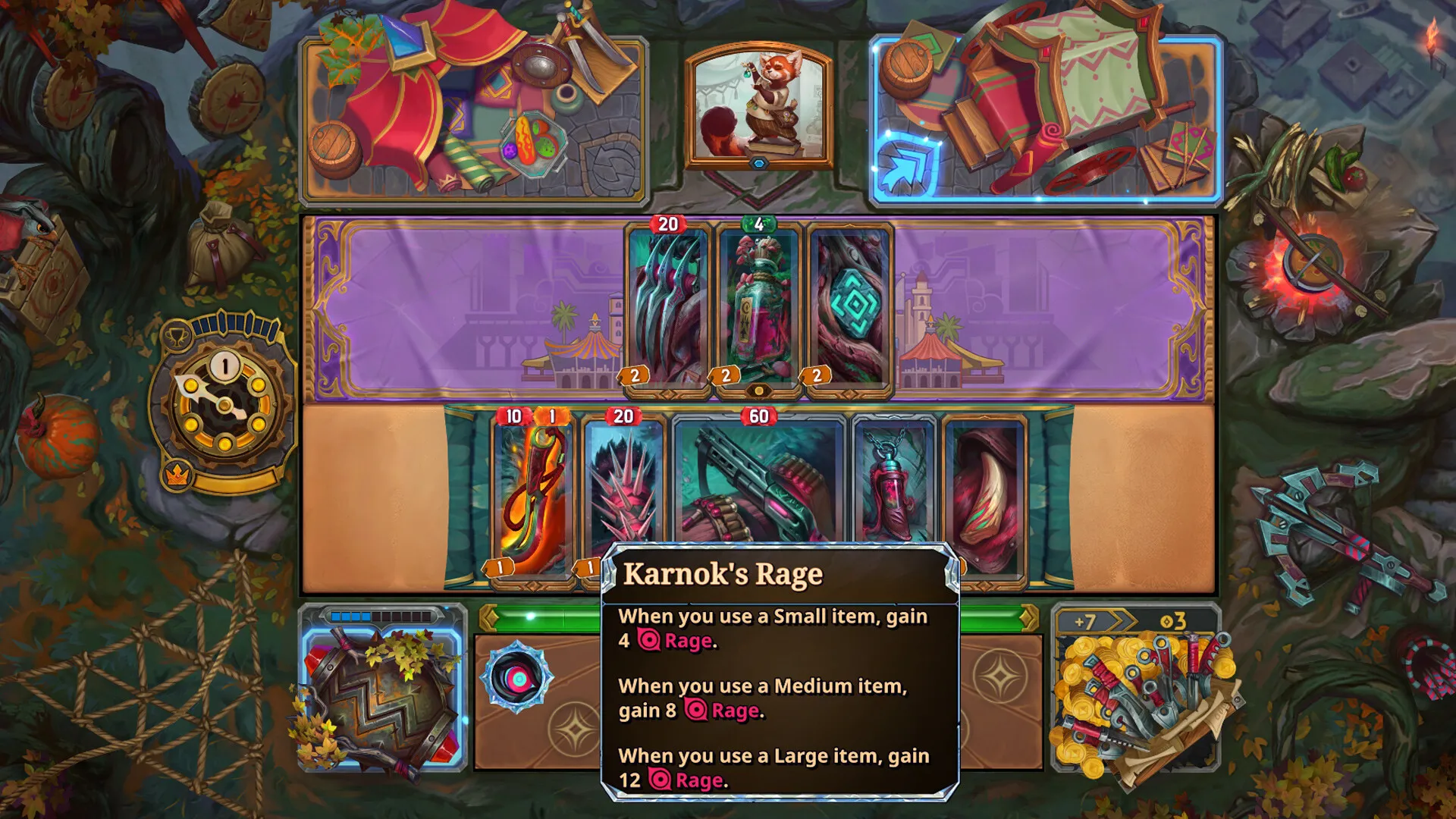
On The Bazaar, Adam works as a Senior Technical Artist across client systems, UI, VFX and audio integration, production tooling, and performance. He built the reusable client-side Rage system, improved tooltip-heavy UI performance with Unity’s profilers, and shipped editor tools that help Technical Artists and UI ship content with less manual work. He also formally mentors junior technical artists through review and task guidance.
This page is an internal development draft. It is not publication-approved.
Chapter 01
Building the Rage mechanic system
Designed and implemented the client-side Rage system when none existed, with UI, VFX, and audio integration on a reusable foundation.
No client-side Rage system existed when this work began. Adam designed and implemented the system, then integrated a radial UI meter and numeric progress indicator so players could read Rage state clearly.
On the presentation side, custom particle-system curves connect to shader properties through code. VFX are positioned and scaled to match board elements, with playback, cleanup, and smooth transitions controlled in code. Timed VFX transition triggers fire during transformations, and audio playback triggers keep feedback synchronized with the mechanic.
Karnok-specific behavior sits on a generic, shared Rage foundation. Future heroes may use different shaders while non-hero-specific visual behavior remains shared—keeping the system reusable for future heroes or related mechanics without rewriting the core client path.
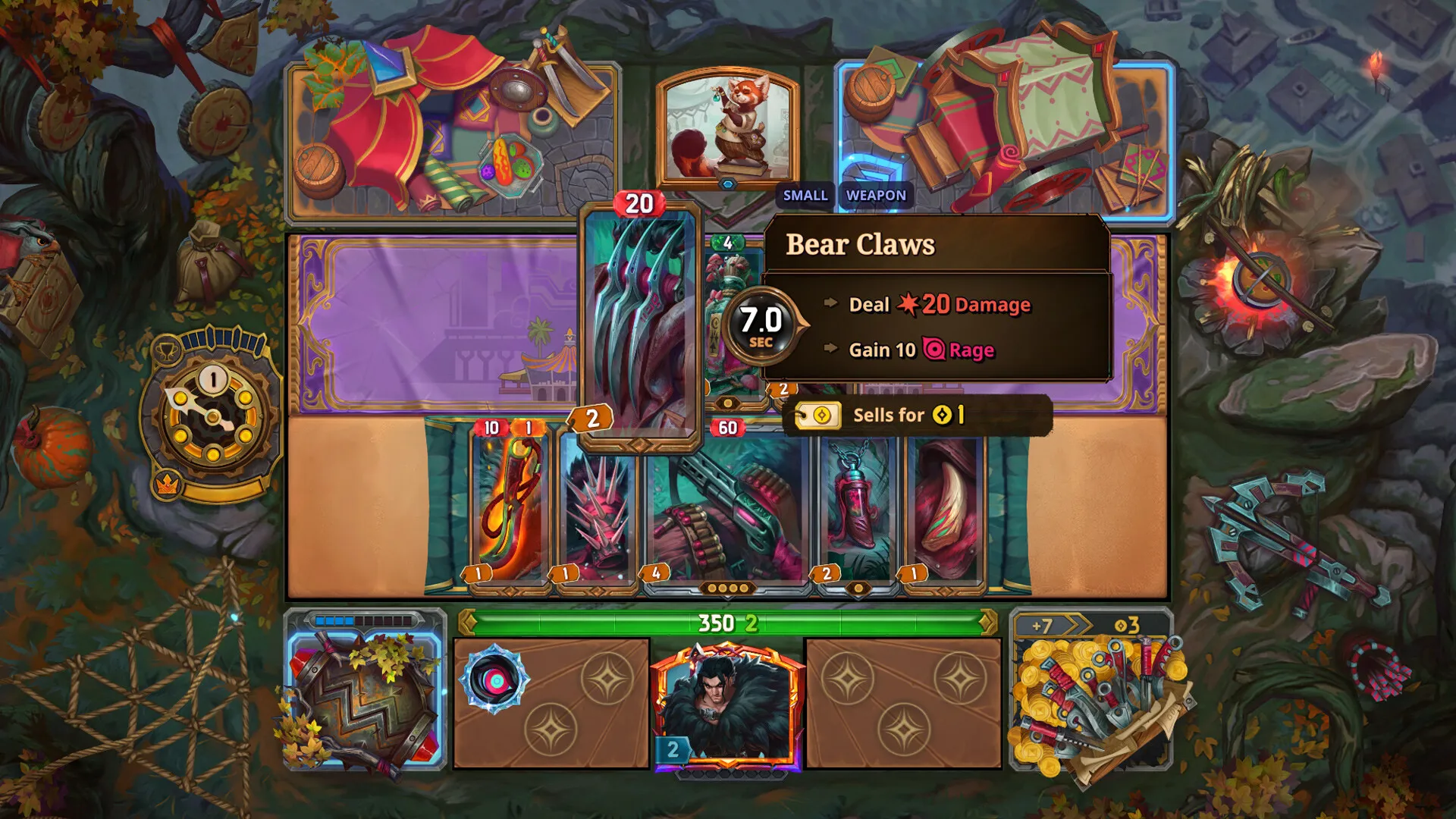
Rage systems relationship diagram
Rage state connects to a radial meter and numeric progress indicator, to VFX and audio triggers, and to shared visual behavior with Karnok-specific behavior on the same foundation.
- Rage state — central client mechanic state
- Radial meter and numeric progress — UI readouts
- VFX and audio triggers — presentation feedback
- Shared visual behavior — non-hero-specific presentation
- Shared foundation with Karnok-specific behavior layered on top
Chapter 02
Making tooltip-heavy UI perform reliably
Profiled tooltip frame-time spikes, then reduced allocations, cached lookups, and pooled where useful.
Hovering across many items produced significant tooltip frame-time spikes. Adam investigated with the Unity Profiler and Unity Memory Profiler, focusing on allocation and repeated-lookup cost.
The work reduced allocations, cached string lookups, and introduced pooling where it helped. Tooltip frame time was substantially reduced—stated qualitatively, without internal metrics.
Observe
Tooltip-heavy interaction caused significant frame-time spikes
Profile
Unity Profiler and Unity Memory Profiler
Identify
Allocation pressure and repeated string lookups
Implement
Reduced allocations, cached string lookups, pooling where useful
Validate
Substantially reduced tooltip frame time
- Unity Profiler
- Unity Memory Profiler
- Allocation reduction
- Cached string lookups
- Pooling
- Substantially reduced tooltip frame time
Before
After
Chapter 03
Reducing manual work through editor tooling
A Unity Editor store-preview window enables runtime preview and automatic UI updates when store items are added.
The UI team lacked a practical way to preview store items at runtime, so newly added items meant manual UI updates. Adam designed and implemented a Unity Editor window with a custom UI that Technical Artists and the UI team use.
After the tool: store items can be previewed at runtime, and UI updates can occur automatically when items are added. Supporting utilities—runtime board swapping, PlayerPrefs and editor-PlayerPrefs viewing/editing, and Spine animation scrubbing—sit around the same production workflow without equal chapter weight.
Fig. 03
Planned store-preview tool screenshot
Before
- No practical runtime preview
- Manual UI updates for newly added store items
Tool
- Unity Editor window
- Custom UI
- Runtime preview capability
After
- Preview store items at runtime
- UI updates can occur automatically when items are added
Supporting tools
- Runtime board swapping
- PlayerPrefs and editor-PlayerPrefs viewing/editing
- Spine animation scrubbing
Mentoring, outcomes, and technologies
Chapter 04
Supporting the technical-art team
Formal mentoring of two junior technical artists through review and task guidance.
Adam formally mentored two junior technical artists through code review, technical-art review, and task guidance. This describes coaching and review practice—not line management or personnel evaluation.
- Code review
- Technical-art review
- Task guidance
Outcomes
- Reusable foundation for future hero or mechanic work
- Substantially reduced tooltip frame time
- Reduced manual UI-update work for store items
- Enabled runtime preview for Technical Artists and UI team
- Supported two junior technical artists through formal review and guidance
Technologies & disciplines
- Unity
- C#
- Unity Profiler
- Unity Memory Profiler
- Unity Editor tooling
- Custom editor UI
- UI systems
- VFX integration
- Shader-property control
- Particle systems
- Performance optimization
- Technical mentoring